Show Posts

This section allows you to view all posts made by this member. Note that you can only see posts made in areas you currently have access to.


Messages - TAZ

Pages: [1]
1
Declined / Re: plz unban!
« on: June 15, 2012, 02:55:23 pm »
Why you were banned: dunno
Lies, you know why you were banned.
Stay the **** away from us, DENIED.

2
Bug Reports / Bug Report Format, READ!
« on: June 15, 2012, 02:34:14 pm »
You can report any bugs related to Irc bot LORRIES, commands or even forums, just use the following format when going to report:
Code: [Select]
Your IRC nickname:
Your forum nickname:
What're you reporting? bot/channel/forum/command:
Description here:

3
Irc Discussion / IRC problems, #taz & #lorries
« on: June 15, 2012, 02:30:43 pm »
Discuss any problem related to #TAZ & #Lorries on here.
We'll try to respond as soon as we can.

4
Suggestions / Suggestions
« on: June 15, 2012, 02:29:13 pm »
Do you have a good idea? do you think it will be much better, if it will be added? ok, feel free to post all your suggestions here, ofcourse if it's about IRC bot, commands, or even forum.

5
Media / Post any funny pics & videos here
« on: June 15, 2012, 02:27:45 pm »
Well, this thread is related to vids & pics, feel free to post any funny pictures or even videos.

6
Chat / Say anything!
« on: June 15, 2012, 02:26:37 pm »
If you have something to say about anything, regardless of how long it is, you can post here.

7
Forum Games / Count untill 100
« on: June 15, 2012, 02:24:36 pm »
Here we will start to count untill 100:
here we go, let me start...


8
Tutorials Requests / Tutorial Request Format
« on: June 15, 2012, 02:21:13 pm »
Here, you can request a tutorial to what ever you want If we can help you with it, we will post it, if we cannot find your request then we will not be able to help you.
Please use the following format form when requesting a tutorial:
Code: [Select]
Your forum nickname:
What games do you play?:
The request you're requesting related to?:
What are you requesting?:

10
Tutorials / GTA:SA modifications
« on: June 15, 2012, 02:09:47 pm »
Mazda RX7 FD3S Police


DownLoad Click Here
___________________________________________________

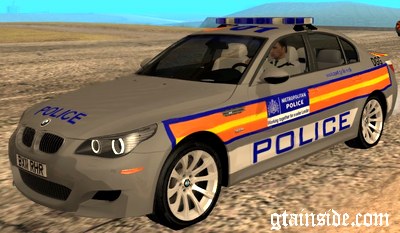
Metropolitan Police BMW 5 Series Saloon


DownLoad Click Here
___________________________________________________

Mitsubishi Evo UK Police


DownLoad Click Here
___________________________________________________

NYPD Dodge Charger HWP


DownLoad Click Here
___________________________________________________

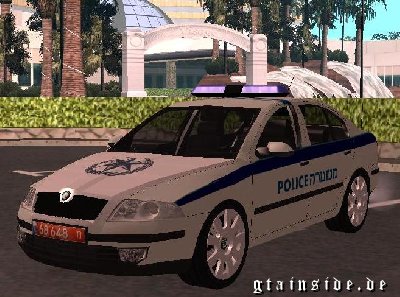
Octavia Israeli Police Car


DownLoad Click Here
___________________________________________________

Now i will Go to Other Cars !

BMW E92 M3


DownLoad Click Here
___________________________________________________

Honda/Acura NSX 1991 Tunable


DownLoad Click Here
___________________________________________________

Dodge Viper - TwinsTurbo


DownLoad Click Here
___________________________________________________

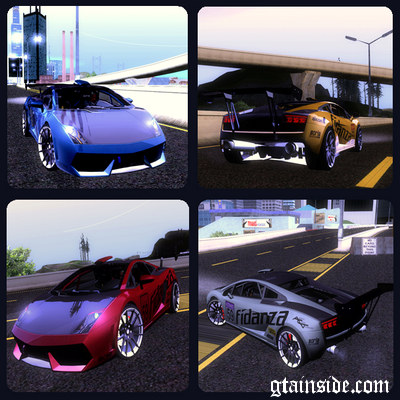
Lamborghini Gallardo Racing Street


DownLoad Click Here

______________________________________________________________________________________

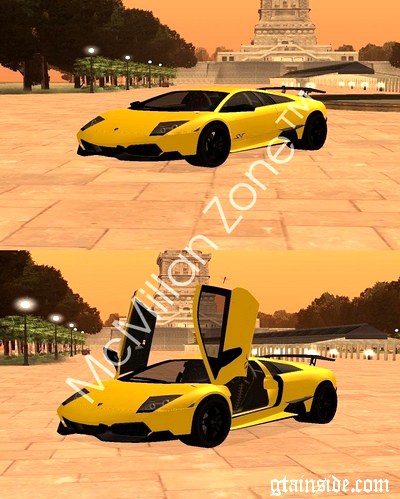
Lamborghini Murcielago LP670-4 SV


DownLoad Click  Here
__________________________________________________________________________________
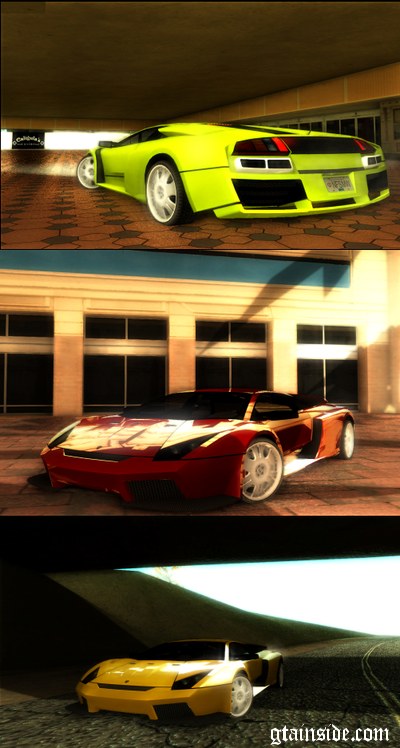
Lamborghini Murcielago Tuned


DownLoad Click Here

_____________________________________________________________________

Jeep Grand Cherokee


Download Click Here
______________________________________________________________________________________

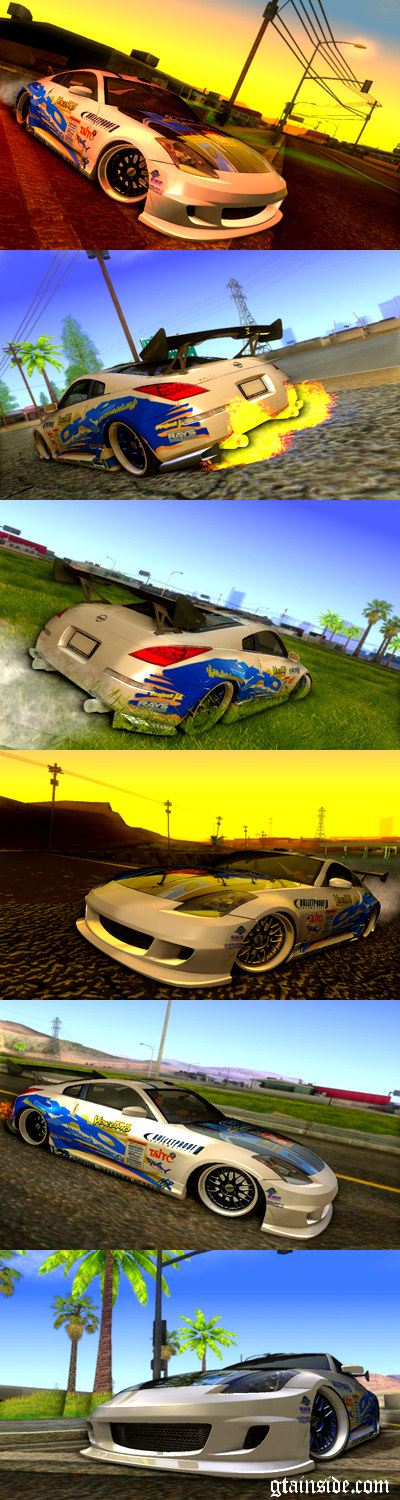
Nissan Z350 - Tuning


Download Click Here


11
Tutorials / How to install GTA:SA Modifications
« on: June 15, 2012, 02:08:22 pm »
Hello guys, today i'm going to teach you how to install GTA:SA ... most of people think it's hard to install but actually it's not hard at all, just you've to follow me Step by Step:
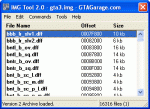
1st. You've to download the IMG tool:

If you dunno how to, download it by clicking  here

2nd.


3rd.


4th.


5th.

Well, you must to choose gta3, if you did Ctrl+L and didn't see gta3 like this:


then you've to open anydrive where your san andreas in, then try to find, Models
and then open it and you gonna see gta3

6th. Then you've to open the mod file again and check the name of it for example it has two files, bat.dff, bat.txd


click on Edit > find or use F2

7th. Put bat.dff on your search as you see on the pic:


8th. Then open the mod file again


9th. then follow this pic:

such as*

10th. And do that too with bat.txd but Change bat.dff on the search to bat.txd and open the mod again and take the bat.txd into the replace place and edit the name will be ONLY bat, edit it to bat.txd and use open and Join the Game And Enjoy!

@@@@@@@@@@@@@@@@@@@@@@@@@@@@@@@@@@@@@@@@@@@@@@@@@@@@@@@@@@@@@@@@@@@@@@@@@@@@@@@@@@@@@@@@@@
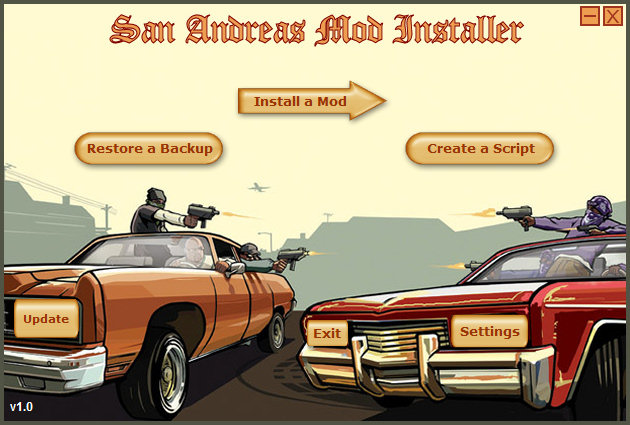
Other way to install cars, boats, nrgs, helis or planes ONLY


download it by clicking Here


when you finish the Extract, it will not work with you if you haven't got microsoft, then you gonna get it from Here


Then when it open with you, click on install mod :


Then click on browse that above NOT DOWN


And direct it into san andreas game and when you finish click on the browse DOWN
and direct it into the mod what you want to Install and then you gonna see that pic:


Then edit the name.. whatever you want and choose the car name from the list, and click on install and click on Exit if you want to quit the installer or Play San Andreas if you want to play san andreas, btw the vehicle which you installed can be found on gamerx for example if you installed the mod into sultan car Join gamerx and use /v sultan.. that's what i mean.

Notes: This is a simple mod.. i mean you can use any mod whatever you want not only bat.txd, bat.dff, anymod you gonna download must has thefilename.dff and thefilename.txd, and if you saw other files don't touch them case of you might've broken your game as well, if you have any problem with it pm me on irc and gonna help you when i come online.

12
Ban Appeals / Ban Appeal Format
« on: June 15, 2012, 02:03:25 pm »
Please use the following format form when requesting a ban appeal: 


Code: [Select]
Your name in the channel:
Your IP address:
The time/date your ban occurred:
The Admin name:
Why you were banned:
Where you were banned from, #taz, #lorries?:
Extra information you would like to add:

13
Promotions & Demotions / [PROMOTED] Luna
« on: June 14, 2012, 10:08:31 pm »
IRC Moderator(@) Luna has been promoted to IRC Manager(&) Due to activity and helpful a lot, Congratulations Luna.  8)

14
Forum Change Name Request / [READ BEFORE POSTING]
« on: June 14, 2012, 06:22:24 am »
To request a new nickname on our website use the following details:
Your current name:
New name:
Notes: Anything else you would like to add.

Pages: [1]